
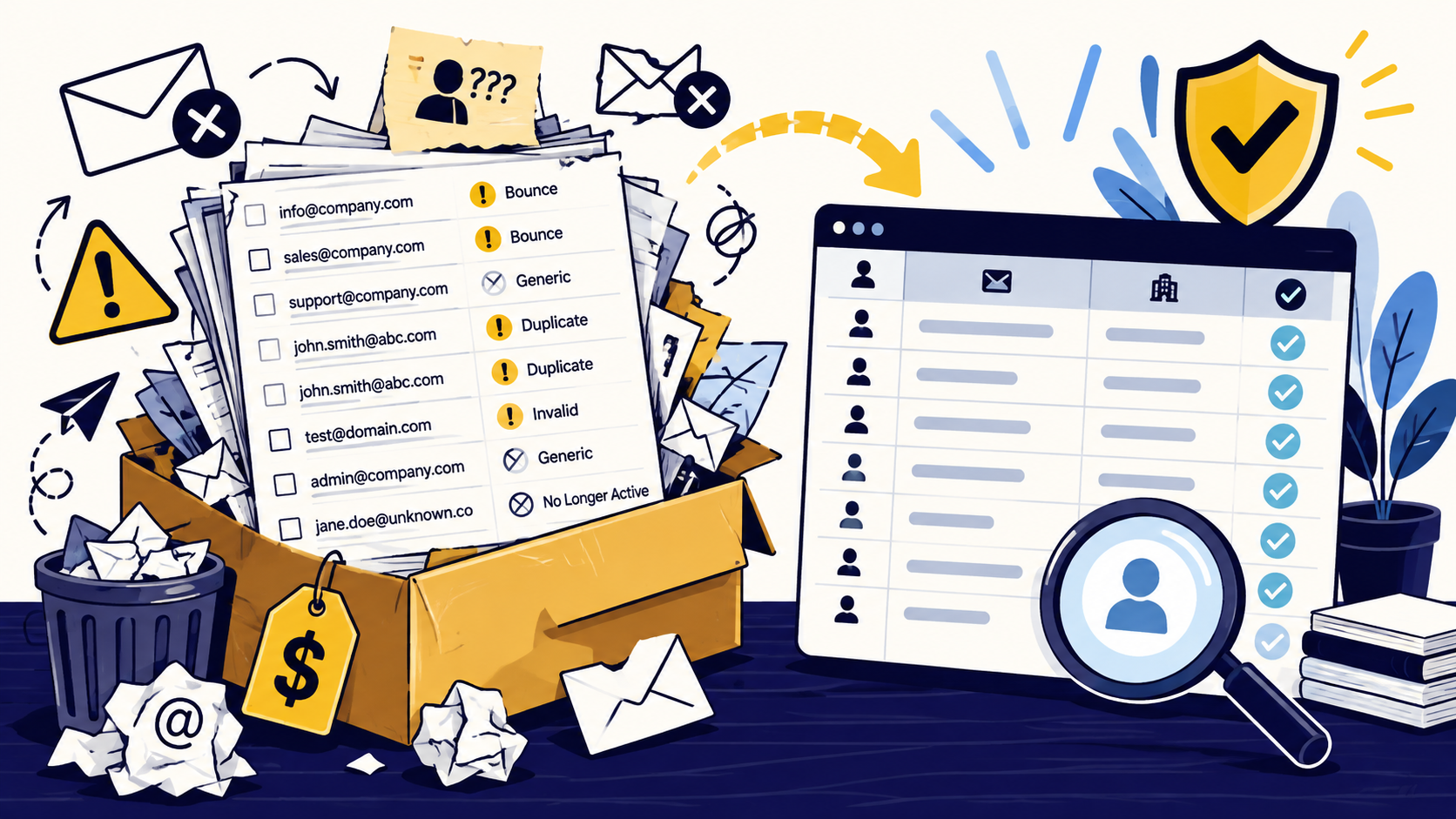
WHAT NOT TO DO #1: Buy the biggest list you can afford
Volume is one of the easiest numbers for a seller to advertise and one of the least useful numbers for a buyer to optimize. Ten thousand loosely matched contacts are usually less valuable than five hundred records that fit a defined company profile, role, geography, and use case.
Before paying for anything, define the exact account and contact criteria. That can include industry, company size, geography, technology, location count, ownership, department, seniority, or another qualification rule. Then ask the vendor how many records meet those criteria today. A provider that keeps redirecting the conversation toward total database size may be selling inventory instead of solving your targeting problem.
- Define company criteria before contact volume
- Define acceptable job functions and seniority
- Request a realistic count for your exact segment
- Avoid paying a premium for fields your team will never use
WHAT NOT TO DO #2: Accept vague answers about where the data came from
Ask how the records were sourced, how recently they were updated, whether the vendor uses public business sources, direct research, licensed databases, partner data, scraping, or a mix, and whether source information can be supplied for critical fields. If the seller cannot explain the provenance of the data at a useful level, you cannot judge the risk.
The Federal Trade Commission notes that purchased lists can be risky because addresses may belong to people who already opted out from your company, and lists can also be assembled through illegal practices such as address harvesting or dictionary attacks. That makes provenance more than a quality question. It is part of your compliance review.
- Ask how contacts and companies are sourced
- Ask when each type of field was last refreshed
- Ask whether source URLs or verification dates are available
- Reject lists with unclear collection methods
WHAT NOT TO DO #3: Assume a purchased email is ready to send
A business email should be treated as a data point, not a permission slip and not a guarantee of deliverability. Verify the address before it enters a campaign. Also confirm that the contact still works at the company, still holds a relevant role, and has not appeared on your internal suppression or unsubscribe list.
For larger sends, protect your domain by testing cautiously rather than uploading a new file and blasting it immediately. Google tells bulk senders to keep user-reported spam rates below 0.1 percent and to avoid reaching 0.3 percent or higher. A poorly targeted or stale purchased file can push complaint rates in the wrong direction quickly.
- Run email verification before outreach
- Check current employer and role for important contacts
- Deduplicate against your CRM and existing audiences
- Apply your suppression and unsubscribe lists before sending
- Start with controlled segments instead of one large send
WHAT NOT TO DO #4: Ignore your email platform's rules
Legal permission and platform permission are not the same thing. In the United States, CAN-SPAM does not generally require prior opt-in for commercial email, but you still have to follow the law's requirements. At the same time, an email service provider can impose stricter rules than the law.
Mailchimp, for example, prohibits purchased, rented, third-party, and publicly available lists under its audience rules and terms. Before buying a file, confirm that your sending platform allows the way you obtained the contacts. Otherwise you can purchase data you are not permitted to import or send through the system you planned to use.
WHAT NOT TO DO #5: Treat CAN-SPAM as your entire compliance strategy
For U.S. commercial email, the FTC requires accurate header information, non-deceptive subject lines, identification of the message as an advertisement when required, a valid physical postal address, a clear opt-out method, and prompt honoring of opt-out requests. The sender remains responsible even when another company handles the campaign.
That does not mean the same rule applies everywhere. Privacy and electronic-marketing laws differ by country and region, and some jurisdictions use stricter consent or legitimate-interest standards. If your list includes contacts outside the United States, review the rules that apply to those recipients before outreach. A vendor saying a list is 'compliant' is not a substitute for your own legal review.
- Know which countries your contacts are in
- Maintain a company-level suppression process
- Keep opt-out handling connected across tools
- Do not rely on a vendor's compliance claim without documentation
WHAT NOT TO DO #6: Buy without testing a sample
A sample is useful only if you evaluate it against the same rules you would use for the full order. Check whether companies match the requested segment, whether titles are current, whether email domains align with the company, whether source links support the record, and whether formatting is consistent.
Do not grade the sample only on email validity. A deliverable email for the wrong person is still a bad record. Ask for a sample that reflects your actual niche instead of a polished generic sample drawn from easy-to-find enterprise companies.
- Score ICP match
- Score role relevance
- Check recency and source traceability
- Validate a sample of emails independently
- Review duplicate rate and formatting consistency
WHAT NOT TO DO #7: Pay before you understand replacement rules
Ask what happens when a record is wrong. Good purchasing terms should define what counts as invalid, how long you have to report issues, whether bounced or stale emails qualify for replacement, and whether wrong-company or wrong-role records are covered.
This matters because quality problems are not limited to hard bounces. A contact can have a valid mailbox and still be unusable because the person changed jobs, the company falls outside your ICP, or the title does not match what you ordered. Replacement terms should reflect the actual specification of the project.
The better purchase: a defined list specification
The safest way to buy B2B contact data is to purchase against a written specification instead of buying a vague 'email list.' Define the company filters, contact filters, required fields, accepted sources, freshness expectations, verification rules, exclusions, delivery format, and replacement policy before work starts.
For a custom-built list, a practical schema might include Company Name, Website, First Name, Last Name, Title, Business Email, LinkedIn URL, source URL, and any custom qualification fields the campaign actually uses. Every added field should have a reason. The goal is not to create the largest spreadsheet. The goal is to create a list a sales or marketing team can use without spending the next week cleaning it.
- Written ICP and contact criteria
- Required fields and accepted formats
- Source and freshness expectations
- Email verification requirement
- Duplicate and suppression rules
- Replacement policy for bad records
- Small pilot before a large order
When a custom-built list is better than a database export
A broad database export can work when your market is common, your criteria are simple, and your team has the capacity to verify and clean the result. A custom research workflow becomes more valuable when the niche is specific, the decision-maker is hard to identify, the fields require judgment, or the cost of contacting the wrong person is high.
DataDabble's approach is to build targeted B2B lists around explicit client criteria and verify the records before delivery rather than treating a large database export as the final product. That distinction matters because purchasing contact data should be a quality-control process, not a volume contest.
Common questions
Is it legal to buy a B2B email list in the United States?
CAN-SPAM does not generally require prior opt-in before sending commercial email in the United States, but purchased lists still create compliance and deliverability risks. You must follow CAN-SPAM, honor prior opt-outs from your company, avoid illegally collected data, and follow any stricter rules that apply to your recipients or sending platform.
What should I ask a B2B email list provider before buying?
Ask how the data is sourced, when it was refreshed, how emails are verified, whether the vendor can meet your exact ICP and role criteria, what fields and source evidence are included, and what the replacement policy covers.
Should I upload a purchased list directly into my email platform?
No. First check whether your platform permits purchased contacts. Then deduplicate the file, apply suppression lists, verify addresses, confirm targeting, and test a small segment before any larger outreach.
Is a verified email list automatically a good list?
No. Email verification only addresses one part of quality. The company, role, geography, freshness, source, duplicate rate, and fit with your campaign still matter. A deliverable email for the wrong contact is still a bad lead.
Final thoughts
Buying a B2B email list can look like the fastest way to fill a pipeline. The danger is treating the file like a finished audience instead of raw data that still needs to be evaluated. A list can contain real business emails and still be a poor purchase because the companies are wrong for your ICP, the contacts are stale, the vendor cannot explain where the data came from, or your sending platform does not allow purchased lists at all. The safest approach is to judge the source first, the records second, and your sending plan third.
Need help improving your business data?
DataDabble can research, clean, enrich, and maintain the records your team depends on.


