
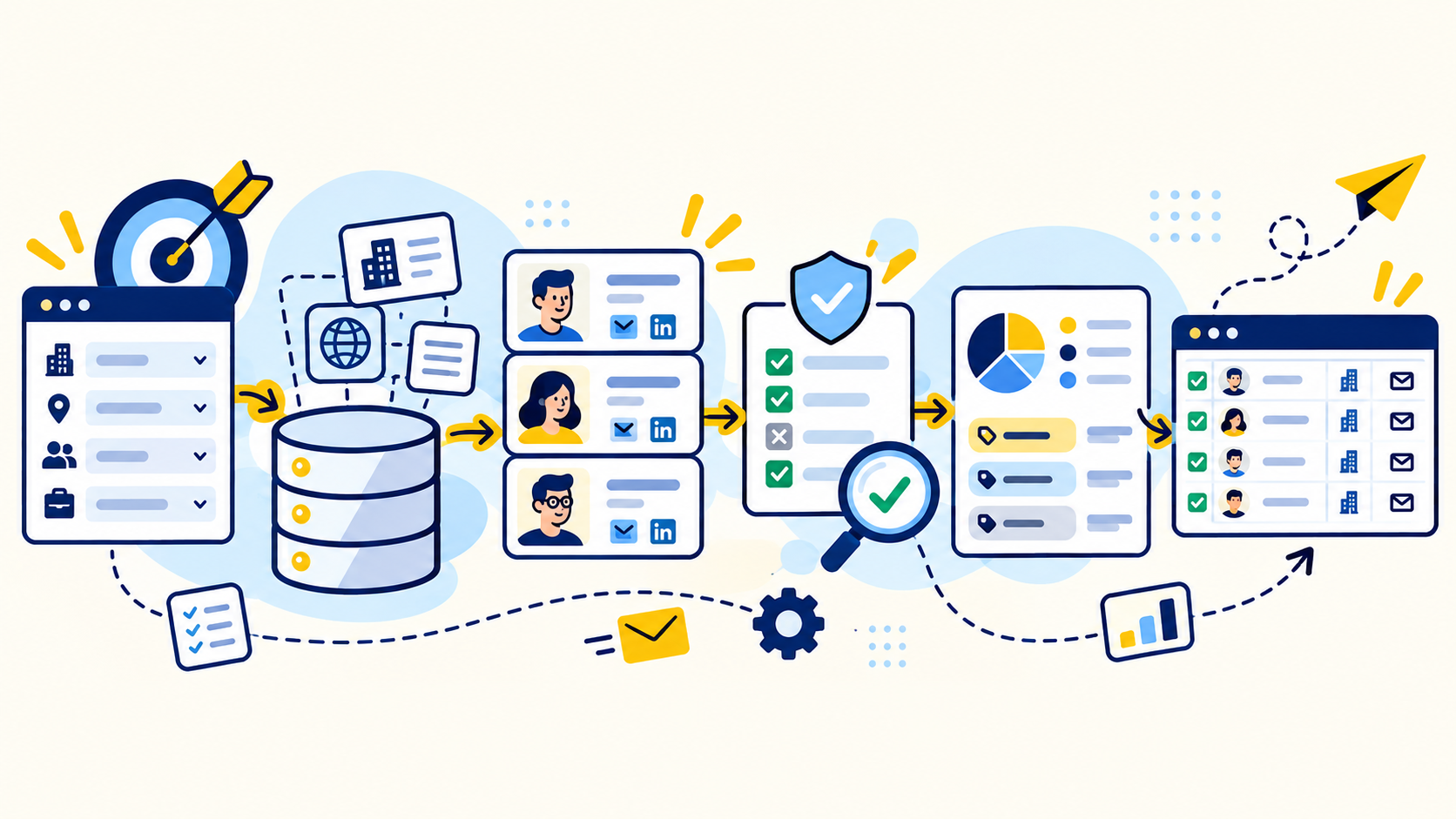
Use LinkedIn to solve the identity problem first
The first question is not what the person's email address is. It is whether you have the right person at the right company. LinkedIn and Sales Navigator can help research current roles, work history, seniority, department, company size, and account context. That makes them useful for narrowing a broad company list into specific decision makers.
Start with the account criteria, then define title families that map to the buying motion. A director of operations, ecommerce manager, VP of sales, founder, or marketing lead may all be valid targets in different projects. Verify current company and role before spending time on email discovery.
- Confirm the current company
- Confirm the role and likely responsibility
- Capture the public LinkedIn URL for traceability
- Reject contacts who do not actually match the target criteria
Find the business email from a source that supports the record
Once the contact is qualified, look for a business email through sources appropriate to the project. Paid B2B data platforms can accelerate discovery, while company websites, public staff pages, press releases, speaker bios, and other legitimate public business sources can provide additional confirmation.
DataDabble often uses tools such as ZoomInfo, Apollo, Seamless, and LinkedIn Sales Navigator alongside public web research. The goal is not to use every source. The goal is to produce one defensible record with enough source context to explain why the company, contact, and email belong together.
Treat email pattern guessing as a lead, not proof
Many companies use predictable email patterns such as first.last or first initial plus last name. Patterns can be useful when a domain and employee identity are already confirmed, but a plausible address should not automatically be treated as verified.
Company domains can change, subsidiaries can use different domains, and organizations can have exceptions to the dominant pattern. Use pattern logic to generate a candidate, then validate it with an email verification service or another reliable source before the record is marked ready for outreach.
Verify the domain, person, and email as separate checks
A clean workflow validates three things independently. First, does the company domain belong to the correct organization? Second, is the person currently associated with that company in the target role? Third, does the business email pass the project's verification standard?
Keeping those checks separate helps catch common mismatches. A perfectly formatted email can still point to the wrong company. A person can still appear in an old database after changing jobs. A correct company can still have multiple email domains after a merger or brand change.
- Company match: correct legal or operating entity and domain
- Contact match: current role and relevant responsibility
- Email confidence: verification result and source context
- Duplicate control: one intentional record per contact and purpose
Build the record for the team that will actually use it
DataDabble's common contact-list schema includes Company Name, Website, First Name, Last Name, Title, Direct Email, and LinkedIn URL. Depending on the project, custom fields can include industry, employee count, location, revenue band, technology, or another attribute tied directly to qualification or segmentation.
Do not add fields just because a tool returns them. Every extra field creates more research, formatting, and QA work. A smaller schema with reliable values is more useful than a wide file full of inconsistent fields.
Run a final QA pass before outreach
Before delivery, review required fields, company fit, title relevance, duplicate records, formatting, and email confidence. Manual spot checks are especially valuable when the list combines several sources because they reveal systematic problems that row-level automation can miss.
Separate uncertain records instead of hiding uncertainty. A contact with an unverified email can still be useful for research, but it should not be presented with the same confidence as a verified business email.
Keep list building separate from sending compliance
A researched business email does not automatically make any outreach compliant. In the United States, FTC guidance states that CAN-SPAM applies to commercial B2B email. Senders remain responsible for requirements such as accurate header information, non-deceptive subject lines, a valid postal address, and a clear opt-out process.
Other jurisdictions can have different rules. Treat contact research, email verification, suppression management, and the sending program as connected but separate controls.
Common questions
Can you find someone's business email from LinkedIn?
LinkedIn is useful for identifying and verifying the person and company. The business email often comes from a separate B2B data source, company source, or verified email pattern rather than LinkedIn itself.
What fields should I save when researching a contact?
A practical minimum is company name, website, first name, last name, title, business email, and LinkedIn URL, plus any custom fields that directly support targeting.
Is an email pattern enough to verify an address?
No. A pattern can produce a strong candidate, but the address should still be checked with an appropriate verification method before it is treated as confirmed.
Does CAN-SPAM apply to B2B cold email?
FTC guidance says CAN-SPAM applies to commercial B2B email. The sending workflow still needs to follow applicable legal requirements and suppression rules.
Final thoughts
LinkedIn is excellent for identifying who works at a company, what they do, and whether they are relevant to a buying process. It is not a complete email database. The cleanest workflow uses LinkedIn to qualify the person, then uses reliable business data sources, company information, and email verification to turn that profile into a usable B2B contact record.
Need help improving your business data?
DataDabble can research, clean, enrich, and maintain the records your team depends on.


