
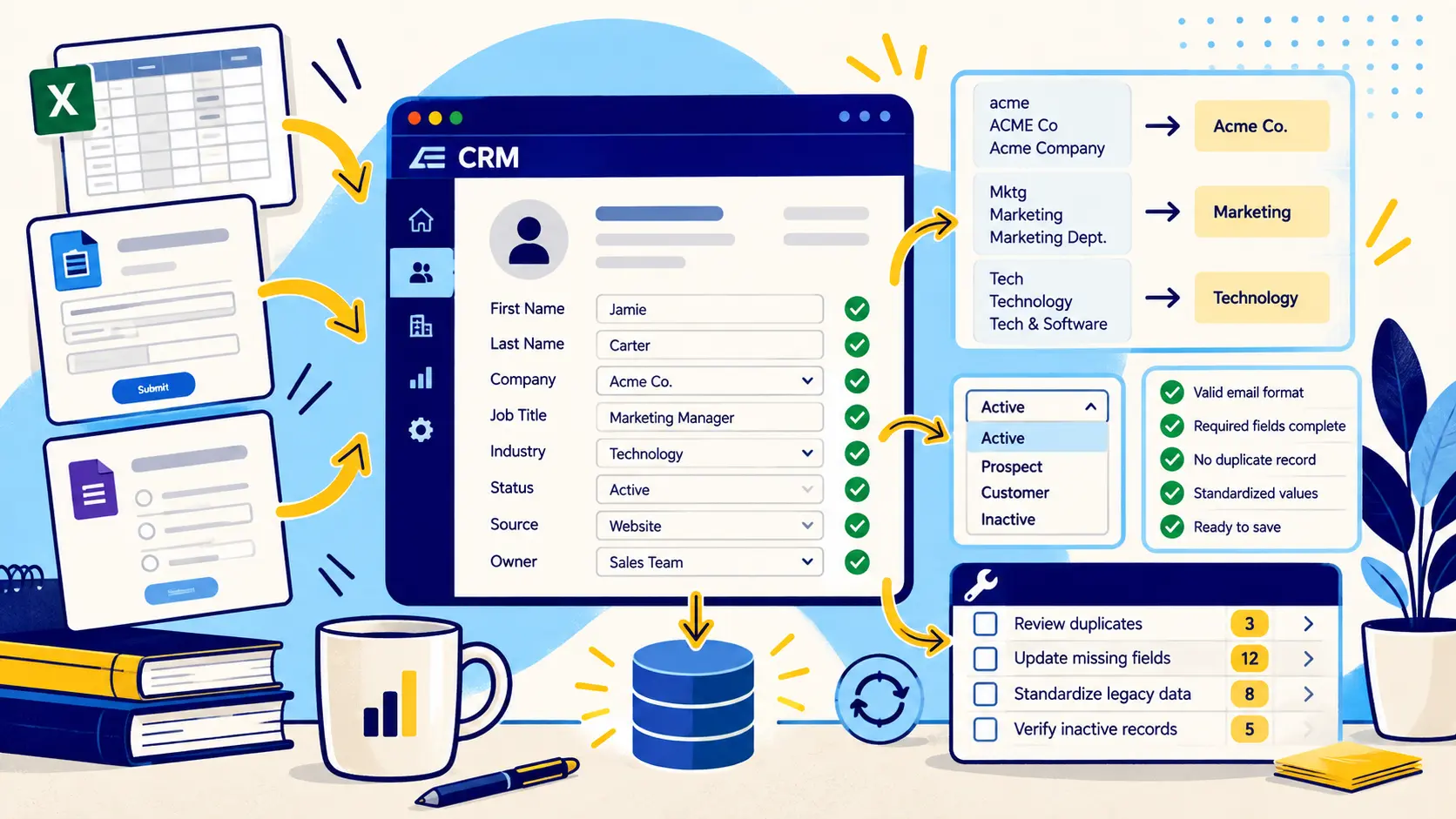
Define the record before anyone enters it
The best time to improve data entry is before typing starts. Define the minimum fields required for each object and the exact format expected for those fields. Required fields should reflect a real workflow need, not a desire to collect everything possible.
For B2B records, a practical minimum may include company name, website, contact first and last name, title, business email, and source or profile URL, plus any custom fields required by the project.
Standardize formats at the point of entry
Formatting rules reduce downstream cleanup. Decide how countries, states, phone numbers, dates, titles, URLs, company suffixes, and blank values should be represented. Where the CRM supports validation rules or controlled picklists, use them for fields that should not accept free-form variation.
Standardization should improve consistency without destroying useful original information. For example, preserve a company's preferred display name even if a normalized comparison field is used for matching.
Check for an existing record first
Duplicate prevention should happen before creation. Search by domain, email, normalized company name, and other reliable identifiers before adding a new account or contact.
For bulk entry, run duplicate checks against the incoming file and the CRM itself. A file that is internally unique can still create hundreds of duplicate records if the same companies already exist in the system.
Use source links and verification dates
Source traceability is especially useful for researched contact and company data. Store the public source URL or source type for fields that may need to be rechecked later. Add a verification date when freshness matters.
This makes updates more defensible. A future reviewer can see whether a title was confirmed recently or copied from an older source and can prioritize records that are likely to have changed.
Bulk CRM data entry needs a mapping step
Bulk work should never jump directly from a spreadsheet into production. Map source columns to CRM fields, document transformations, test on a small sample, review results, and only then process the full file.
The test batch should confirm data types, picklist values, required fields, duplicate behavior, owner assignment, and whether blank source values would overwrite populated CRM fields.
- Profile the source file
- Map each column to a destination field
- Normalize before import
- Test with a small sample
- Review created and updated records
- Run final duplicate and completeness checks
Secure and confidential handling matters
CRM entry often involves customer, contact, operational, or commercially sensitive information. Limit access to the people who need it, avoid unnecessary local copies, follow the client's retention rules, and keep working files organized so sensitive data is not mixed into unrelated projects.
A data-entry vendor or contractor should be given only the fields and systems required for the task. Good operational security is part of data quality because a correct record handled carelessly is still a bad outcome.
Build QA into the entry process
Do not wait until the end of a 20,000-row project to discover a mapping mistake. Use spot checks, exception reports, required-field checks, duplicate reports, and field-level validation throughout the work.
The goal is a repeatable process where most errors are caught close to the point where they are introduced.
Common questions
What is CRM data entry?
CRM data entry is the process of creating or updating customer, contact, account, lead, and related records in a CRM according to defined field, formatting, and quality rules.
What fields should be required?
Require only the fields needed for routing, segmentation, reporting, compliance, or another defined workflow. Too many required fields can encourage users to enter placeholder data.
How do you reduce CRM data entry errors?
Use clear field definitions, picklists and validation where appropriate, duplicate checks, source links, import mapping, test batches, and recurring QA reports.
Can CRM data entry be outsourced?
Yes, especially for structured backlogs or bulk projects, but the provider should follow documented field rules, security requirements, duplicate controls, and QA standards.
Final thoughts
CRM data entry looks like clerical work until inconsistent names, missing fields, duplicates, and bad formatting start breaking reports and routing. Strong data entry is really controlled record creation: every field has a definition, every record is checked before it is added, and bulk work follows the same rules as manual entry.
Need help improving your business data?
DataDabble can research, clean, enrich, and maintain the records your team depends on.


