
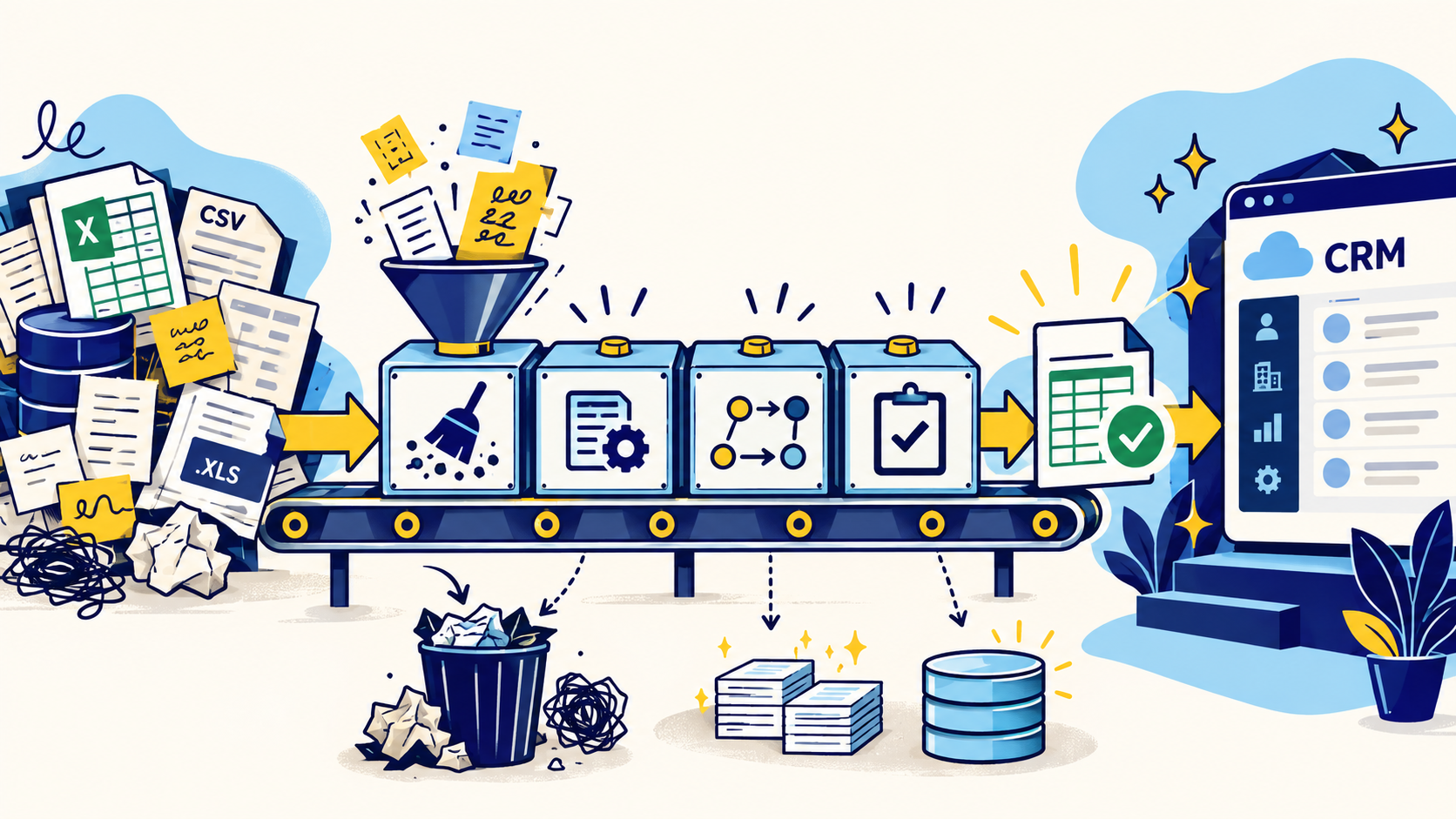
Start with an inventory of what actually exists
Before cleaning anything, document the source systems and the objects inside them. CRM data rarely lives in one neat table. Accounts, contacts, opportunities, tickets, activities, owners, attachments, custom objects, spreadsheets, and connected tools may all contribute records that need a decision.
For each source, capture record counts, key identifiers, required fields, custom fields, picklist values, relationships, data owners, and whether the information is still needed. This inventory becomes the control document for the migration and prevents important data from disappearing simply because nobody remembered it existed.
- List every source system and spreadsheet in scope
- Inventory objects, fields, relationships, files, and historical activity
- Record current row counts so you can reconcile later
- Identify the owner for each business-critical field
- Decide what should migrate, archive, transform, or stay behind
Clean before you map
A migration is one of the worst times to preserve bad data for sentimental reasons. If a contact is obsolete, an account is duplicated, or a field has not been used in three years, moving it does not make it more valuable.
Profile the source data first. Measure blanks, duplicate rates, invalid formats, stale values, inconsistent categories, and records that cannot be matched confidently. Then clean the highest-risk issues before the mapping exercise. Standardize names, dates, states, countries, phone formats, status values, and categorical fields using explicit rules rather than one-off edits.
DataDabble's preferred approach is to preserve the raw export, perform transformations in a working copy, and keep a change log. That gives the team a defensible trail from source to final import file.
Build a field mapping matrix
Source and target fields that look similar may not mean the same thing. A lifecycle stage, account status, lead source, or deal stage can carry different business logic across systems. Mapping should therefore document meaning, not just column names.
Create a matrix with the source field, target field, data type, transformation rule, allowed values, default behavior, whether the field is required, and who approved the decision. Include fields that will be retired so the team knows the omission was intentional.
Pay special attention to picklists, multi-select values, date formats, currencies, owner IDs, and custom fields. Those are common points where an import can succeed technically while still creating unusable records.
Protect IDs and relationships
CRM records are relational. A contact belongs to a company, a deal may belong to an account, activities belong to people or opportunities, and custom objects may depend on parent records. If stable identifiers are lost, those relationships become difficult to reconstruct.
Preserve the legacy record ID even when the new CRM creates its own ID. A dedicated legacy-ID field makes matching, upserts, troubleshooting, and reconciliation much easier. For multi-object migrations, plan load order so parent records exist before dependent records are imported.
Do not use a company name as the only relationship key when a domain, source ID, or another stable identifier is available. Names change and are rarely unique enough for reliable linkage.
Test with a representative sample
The first import should not be the full production dataset. Build a representative sample containing clean records, duplicates, blanks, long text, edge-case picklist values, multiple owners, relationships, and historical records. The goal is to stress the mapping, not to choose the easiest rows.
After the test, inspect both counts and meaning. Confirm that records landed in the expected objects, relationships are intact, statuses translated correctly, owners are assigned, automations did not create unintended changes, and required reports still make sense.
A successful upload message is not proof of a successful migration. Validation must happen inside the target system.
Reconcile before cutover
Reconciliation is the point where migration work becomes measurable. Compare source counts with target counts by object and by important segment. Reconcile critical totals, unmatched records, failed rows, relationship counts, and a sample of high-value accounts.
Define acceptable exceptions before go-live. Some source records may intentionally be archived, merged, or excluded. Documenting those decisions keeps the team from treating every count difference as a defect while still making unexplained differences visible.
- Record counts by object
- Duplicate and merge counts
- Failed and rejected rows
- Relationship and association counts
- Critical field completeness
- Owner assignments and status values
- Sample-based source-to-target verification
Plan the cutover like an operational event
A production cutover needs an owner, a freeze window, a final delta plan, rollback criteria, and a validation checklist. Decide when users stop editing the old system, how late changes will be captured, who approves the final import, and what happens if reconciliation fails.
After go-live, monitor the first days of real use. Users often reveal mapping or workflow issues that were invisible in testing. Capture those issues quickly and fix the underlying rule rather than manually patching records one by one.
The cleanest migration is not the one that moves every field. It is the one that leaves the new CRM understandable, traceable, and usable on day one.
Common questions
Should CRM data be cleaned before or after migration?
Most structural cleanup should happen before migration so duplicates, stale records, invalid values, and inconsistent formats are not carried into the target CRM. Keep the raw source export unchanged and perform transformations in a controlled working copy.
What data should not be migrated to a new CRM?
Records that are obsolete, duplicated, legally required to be deleted, unsupported by the new operating model, or retained only for archive purposes may not belong in the active CRM. The decision should be documented rather than made ad hoc during import.
Why keep legacy CRM IDs?
Legacy IDs create a stable reference between the old and new systems. They make relationship mapping, troubleshooting, updates, reconciliation, and post-migration audits much easier.
How many test migrations should a team run?
There is no fixed number. Run enough representative test imports to prove that mappings, relationships, automation behavior, ownership, and reconciliation checks work before production cutover.
Final thoughts
A CRM migration should not be treated as an export followed by an import. The move is a chance to decide what data belongs in the new system, how each field should behave, which records can be trusted, and what must be fixed before go-live. Teams that skip that preparation often reproduce the same duplicate accounts, stale contacts, inconsistent values, broken relationships, and reporting problems in a more expensive platform.
Need help improving your business data?
DataDabble can research, clean, enrich, and maintain the records your team depends on.


