
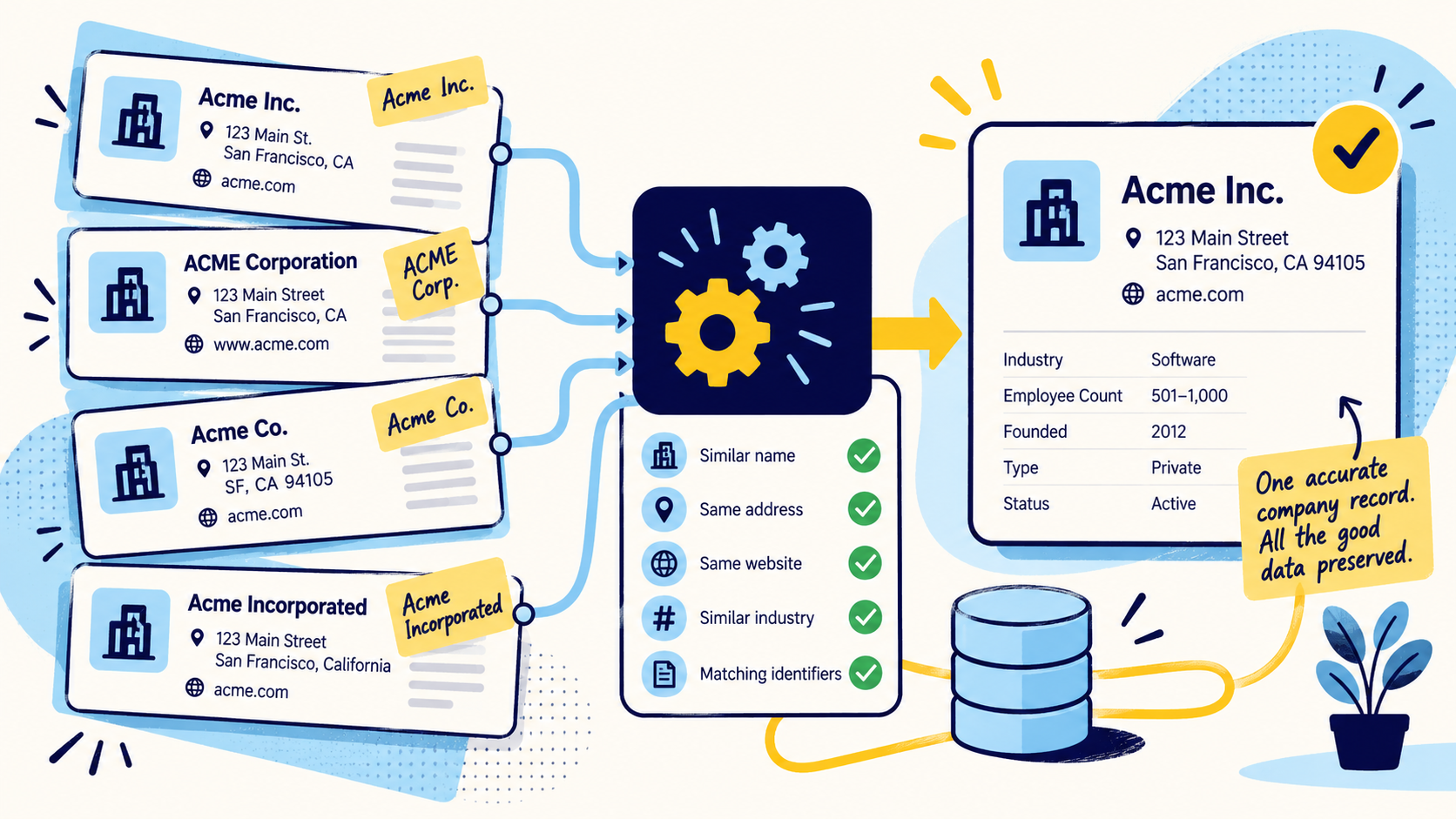
Deduplicate accounts and contacts as different entities
An account duplicate and a contact duplicate are not the same problem. Account matching often relies on company name, domain, address, location, and parent-child structure. Contact matching may use email, name, employer, title, phone, or an internal contact identifier.
Define separate match logic for each object. A contact can legitimately appear more than once if the CRM is designed around business units or account relationships, while duplicate account records may need consolidation at a different level.
Start with candidate generation, not automatic merging
The safest workflow first creates duplicate candidates. Exact rules can surface obvious matches such as identical normalized business emails or domains. Fuzzy rules can identify likely duplicates based on names and supporting fields.
Candidate generation lets the team inspect risk before records are changed. Automatic merges should be reserved for match conditions that are consistently reliable in that specific CRM and dataset.
- Exact email or stable identifier matches
- Normalized company domain matches
- Name plus company or location matches
- Fuzzy name matches with secondary evidence
- Manual review for ambiguous high-value accounts
Decide what survives before you merge
A CRM merge can affect dozens of fields, so survivorship rules should be documented before production work begins. Determine whether each field prefers the most recent value, the most complete value, a trusted source, a manually verified value, or a designated system of record.
Do not assume the record created first or updated last is automatically correct. A recently imported list can overwrite better first-party information if the merge logic is too simplistic.
Protect ownership, activities, and relationships
The operational risk in CRM deduplication is often outside the visible fields. Before merging, confirm how the CRM handles record ownership, notes, tasks, opportunities, campaign membership, activity history, custom objects, attachments, and account-contact relationships.
Test the merge behavior in a safe sample first. The correct surviving profile is not enough if associated sales history or workflow relationships are lost or reassigned incorrectly.
Clean imports before they enter the CRM
Many duplicate problems begin with imports. New lead lists, event files, purchased data, form submissions, and enrichment exports often use slightly different formatting from the CRM. Normalize and match incoming records against the existing system before creating new rows.
For B2B contact data, matching company domain, business email, LinkedIn URL, and current employer can reduce duplicate creation when several sources contribute to the same prospecting workflow.
Use recurring deduplication instead of one giant cleanup
A one-time CRM cleanup can improve the database quickly, but duplicates will return unless prevention rules change. Add duplicate checks to imports, form flows, integrations, and enrichment jobs, then schedule recurring audits for the areas that still accumulate risk.
The frequency should match data volume and business impact. A high-volume sales CRM may need continuous controls and frequent review, while a smaller system may be well served by a monthly or quarterly process.
Measure deduplication by business impact
Record count reduction is not the only success metric. Look for fewer duplicate accounts, lower duplicate creation rates, cleaner ownership, more complete activity histories, fewer bounced or repeated outreach attempts, and better reporting consistency.
The best deduplication process leaves the CRM easier to operate, not merely smaller.
Common questions
What causes duplicate CRM records?
Common causes include imports, form submissions, multiple integrations, inconsistent formatting, missing matching rules, enrichment jobs, and manual record creation.
Should CRM duplicates be merged automatically?
Only when the match rule is highly reliable and the merge behavior is well understood. Ambiguous or high-value records should usually be reviewed before merging.
What fields are useful for CRM deduplication?
Useful fields include business email, company domain, normalized company name, contact name, location, phone, LinkedIn URL, and stable internal or external IDs.
How do you prevent CRM duplicates from coming back?
Add matching rules to imports, integrations, forms, and enrichment workflows, standardize key fields, and run recurring duplicate audits instead of relying on one cleanup project.
Final thoughts
Duplicate CRM records create more than visual clutter. They split activity history, distort pipeline and account counts, cause conflicting ownership, and make enrichment or outreach harder to trust. A strong CRM deduplication process identifies duplicate candidates, resolves them at the right entity level, merges carefully, and changes the intake rules that created the duplicates in the first place.
Need help improving your business data?
DataDabble can research, clean, enrich, and maintain the records your team depends on.


